Short answer: Learned answers shows you things your assistant has picked up from real conversations with your visitors and is proposing to adopt. You approve what is right, discard what is not. Nothing is adopted without you.
Why this screen exists #
Your assistant meets questions you never anticipated. Somebody asks about a service you describe differently in conversation than on your site; somebody raises an objection you answer well in person but never wrote down; somebody asks something you simply do not cover.
Rather than leave those in a transcript nobody reads, ReqMe collects them and brings them to you as suggestions.
What you will find there #
Suggestions come in four kinds:
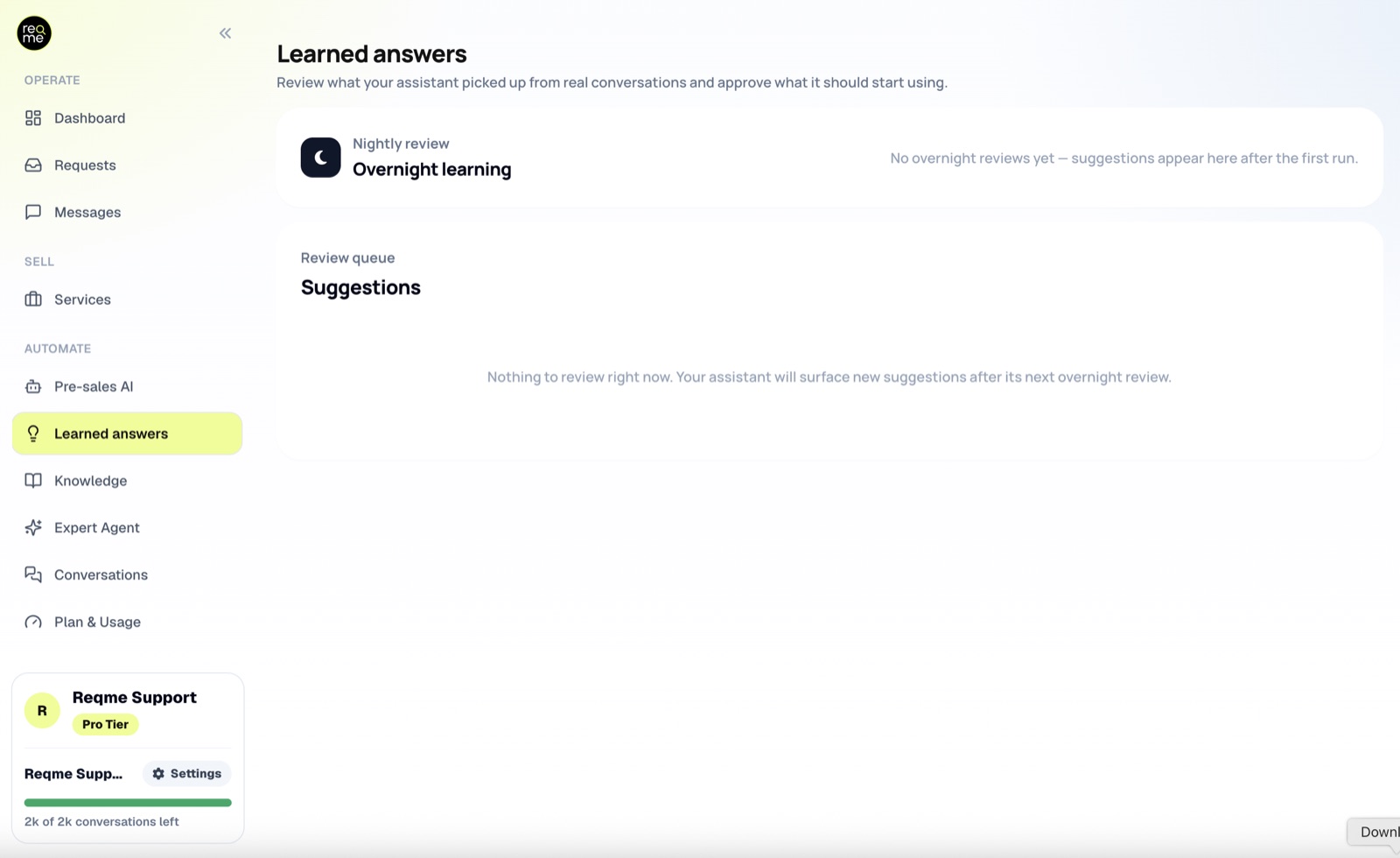
- Learned answer — a question that came up and was handled well enough to be reused.
- Knowledge gap — a question your assistant could not answer, which means the information is missing from your material.
- Conversation pattern — something visitors keep raising, often an objection, that deserves a considered answer rather than an improvised one.
- Test case — a real question kept as a check, so you can confirm your assistant still answers it correctly after you change something.
Reviewing #
Read each one and decide. Approving adds it to what your assistant knows; discarding removes the suggestion for good, and it will not be proposed again. Approving a knowledge gap also asks you to write the answer and choose where it belongs — there is nothing to approve until you do.
Be as strict here as you would be about your website copy. An approved answer is one your assistant will give to prospects, in your name, when you are not watching. If a suggestion is nearly right, it is worth fixing rather than approving as-is.
Knowledge gaps are the valuable ones #
The instinct is to approve good answers and move on. The gaps are worth more.
A gap is a real prospect who asked a real question and got nothing. Whatever it is — pricing for a service you have not listed, a location you do serve, a format of work you do take on — it cost you that conversation, and it is costing you the same one repeatedly until you close it.
How often to look #
Weekly is plenty for most businesses, and less as things settle. The queue does not go stale, and a batch of suggestions read together tells you more about what your prospects want than the same items read one at a time.
Frequently asked questions #
Does my assistant change on its own? #
No. Suggestions wait for you. Nothing reaches visitors until you approve it.
What happens when I approve one? #
It becomes part of what your assistant knows and is used in future conversations.
Can I undo an approval? #
Yes — what your assistant knows is editable, and changes can be rolled back.
Nothing appears in the queue. #
Suggestions come from real conversations, so a quiet period produces none. Once visitors start using the chat, they arrive on their own.
Need help? #
If this page did not answer your question, send it to us. Tell us what you were trying to do and what happened instead — that is usually enough for us to spot the problem straight away.
Prefer email? hi@reqme.co


